CHROME EXTENSION FOR GEMINI
Reply to exactly what you highlighted.
Ask Gemini
Select text in any Gemini response, click once, and your follow-up goes out with that exact passage locked in. No copy-pasting, no restating.

Gemini always knows which part you mean.
01 / PIN
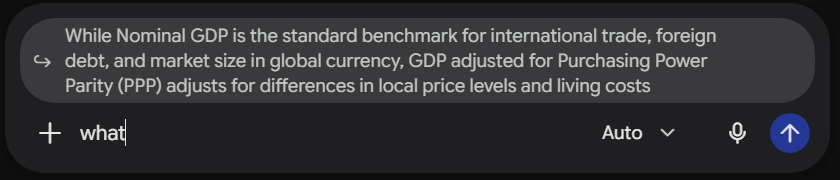
Your quote rides along.
A context chip pins the passage above your reply bar, so Gemini never loses track of what you are asking about.
02 / TRACE
Every reply keeps its source.
The quoted text stays inline in your chat, so long conversations stay easy to follow.

THE REST OF THE TOOLKIT
Multi-Quote
Highlight several passages and reply to all of them at once.
ON / OFF
Smart Paste
Paste a huge block of text or code and send it as a file instead.
AUTO / ASK / OFF
Table of Contents
A live index of every prompt, so long chats stay easy to navigate.
ON / OFF
Bookmarks
Save responses directly to your library.
ON / OFF
Usage limits
See your Gemini usage and reset time in the sidebar.
ON / OFF
Auto Mode
Automatic model switching for speed and reasoning.
ON / OFF
Highlight.
Reply.
Add to ChromeReply.